Cartix Label Studio
Barcode labels. Design, edit, print.
New stock, a price change, a different label size. Cartix Label Studio brings barcode label design, editing and batch printing into your desktop POS. Start with a template, arrange the information your customers need, then preview and print labels for your shop.
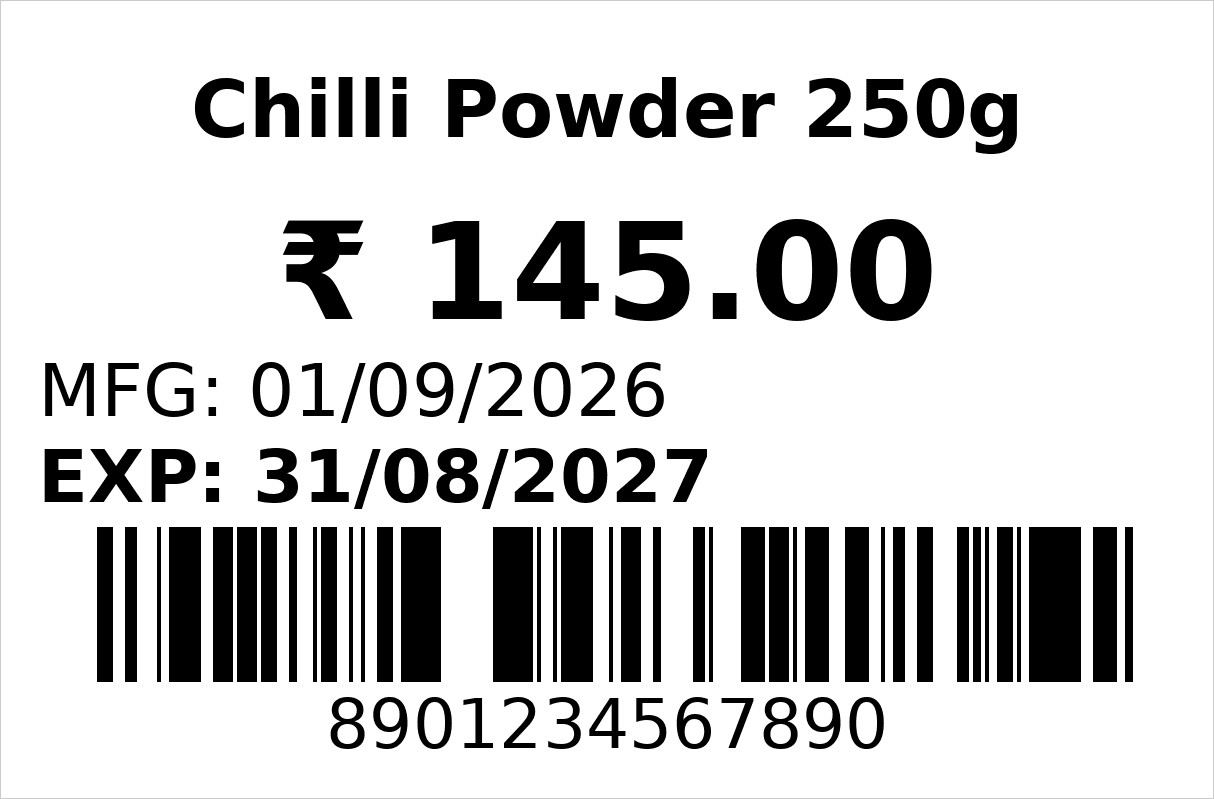
A visual barcode label editor
- Create a label template or start from a built-in design
- Move, resize and rotate text, barcodes, QR codes and shapes on the canvas
- Set label dimensions in millimetres, with grid and snap controls for alignment
- Adjust fonts, text alignment and field positions; undo and redo layout changes
- Save reusable templates, duplicate a design, or import and export template files
Product details that belong on the label
- Use product name, barcode, SKU, selling price and MRP fields in your template
- Enter manufacturing and expiry dates for the batch you are labelling
- Choose a barcode format such as Code 128, EAN-13, EAN-8, UPC or Code 39
- Add QR codes or Data Matrix where your scanning workflow supports them
- Use the product barcode or a lot barcode for goods tracked by batch
Thermal barcode label printing
- Save printer and roll profiles with label size, columns, gaps and side margins
- Print using a Windows driver or supported TSPL2 setup
- Use product and shelf label layouts, including 38 × 25 mm designs and custom sizes
- Preview the physical roll layout before enabling the print action
- Test alignment on your printer and loaded stock before a full batch
Batch labels from your product catalogue
- Find products or variants by name, barcode or product code
- Add several items and set the number of labels for each one
- Add a manual label when you need to enter the details yourself
- Keep a saved draft batch and bring items in from the previous label queue
- Review print history when checking or preparing a reprint
No label printer? Use A4.
- Barcode labels laid out on plain A4 sheets — grid, margins and cut guides computed for you
- Works with any laser or inkjet you already own
- Open A4 label sheets from the barcode print screen and set up the sheet layout
Weigh scale, both directions
- Weight-embedded barcodes parsed at the counter — two common formats
- PLU export files (T1/T2 formats) generated for loading products into the scale
- Packed vegetables, meat and sweets scan like any other item
Receipts & documents
- 58mm and 80mm thermal receipts with your logo, custom header and footer
- UPI QR on the receipt with the bill amount already embedded
- A4 and A5 tax invoices with their own layout settings
- KOT tickets, job slips and delivery challans on the same printers
Questions people ask
Can I design and edit barcode labels in Cartix?
Yes. In the Cartix Windows desktop app, open Label Studio and choose Templates & designer. Start with a template or a new design, move and resize fields, adjust fonts and save the layout for printing. This website explains the feature; the editor runs inside Cartix.
Can I edit the price without changing the barcode number?
Yes. The selling price, MRP and barcode are separate label fields. Review the price in your product record and the label batch, then print the updated label with the intended barcode. Editing a label field alone should not be treated as a change to the product catalogue.
Can I print barcode stickers on an A4 printer?
Yes. Cartix has an A4 label-sheet workflow for laser or inkjet printers as well as the thermal Label Studio workflow. Match the sheet layout to your paper, check margins and print a test sheet before using adhesive label stock.
Which barcode formats does Label Studio support?
The designer supports Code 128, EAN-13, EAN-8, UPC-A, UPC-E, Code 39, ITF, Codabar, QR and Data Matrix. Choose a format that your scanner and intended use support. Rendering a barcode does not register a GS1 product number.
Which label printers work?
Label Studio supports Windows-driver printing and a native TSPL2 route for supported setups. Compatibility depends on the printer, driver, resolution and label stock. Share your model and label dimensions during the demo so we can check the setup and sample alignment with you.
Can I use Malayalam product names on labels?
Label Studio includes local-name fields and font selection. Malayalam output needs a font with the required characters and a suitable printer setup. Ask for a sample using your product names and printer before choosing a template for regular use.
What paper sizes are supported?
58mm and 80mm thermal rolls for receipts, and A4 and A5 for tax invoices — so the small 58mm printer many shops already own works out of the box, and wholesale bills print on the size your buyers expect.
Other modules
Bill. Manage. Grow.
Where one sale ends, the next one begins.
See how Cartix connects your counter, your business and your next customer visit. Book a free walkthrough with our team.
Free remote demo · English & Malayalam · Built for Indian businesses