Offline & sync
The internet goes down. The counter does not.
An internet outage should not stop a shop from billing. Cartix keeps the primary database on your own computer, syncs a cloud copy when connected, and can schedule another backup to your own USB drive or second location.
A quicker counter. A calmer day.
Scan a barcode, find a loose item, split a payment. Everything you need to finish the bill stays within reach.
Explore point of sale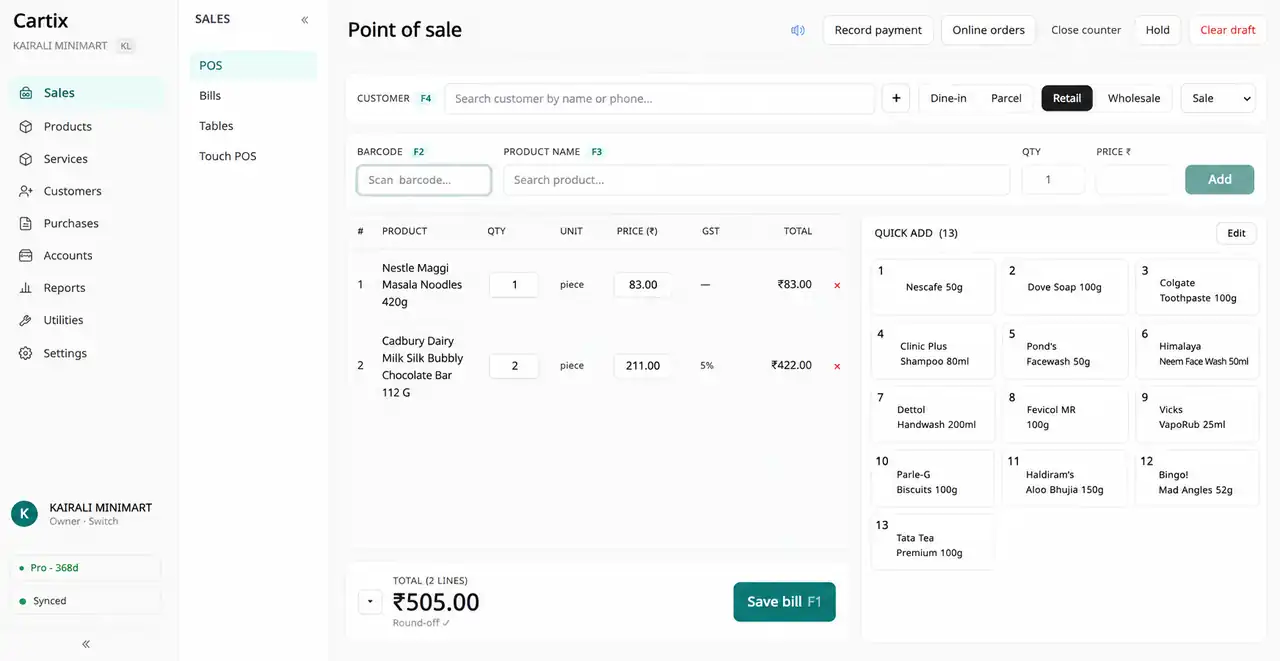
Offline-first, genuinely
- Core billing, stock, search and reports work offline; cloud sync and online services need internet
- No spinner, no timeout, no “please check your connection”
- Search and reports run on the local database, so they are instant
Sync that survives the real world
- Sync resumes on its own when the line comes back — in order, nothing skipped
- One bad record can never jam the queue behind it
- Two counters editing the same thing resolves safely by causality, never silently dropped
- Multi-device shops see each other’s bills within seconds when online
- A live badge tells you whether the cloud has caught up
Backups you can hold
- Scheduled daily backup of the local database, checked hourly
- A second backup location — USB pen drive, another disk, or a cloud-synced folder
- Restore a whole shop onto a new machine from the cloud copy in minutes
Updates that respect the counter
- New versions download in the background and install when you quit
- Checked every few hours; a manual check button if you are impatient
- Keep a current backup before installing an update
Questions people ask
If the internet is off for a week, do I lose anything?
No. The local database is the source of truth and it has no time limit. When the connection returns, everything queued since the last sync uploads in order, and the sync badge turns green when the cloud has caught up.
Where is my data stored?
In three places if you want: your own Windows machine (the real copy), the synced cloud copy, and a scheduled backup on a USB drive or second disk that you physically control. The data is yours — export to CSV whenever you like.
My computer died. Now what?
Install Cartix on any Windows machine, sign in with your phone and PIN, and claim your shop — it restores from the cloud copy. Recovery uses the latest successful cloud sync or local backup. Any changes made since then may need recovery; contact support for help.
Other modules
Bill. Manage. Grow.
Where one sale ends, the next one begins.
See how Cartix connects your counter, your business and your next customer visit. Book a free walkthrough with our team.
Free remote demo · English & Malayalam · Built for Indian businesses